








Lifestyle

Share
Published 11:40 26 May 2016 BST

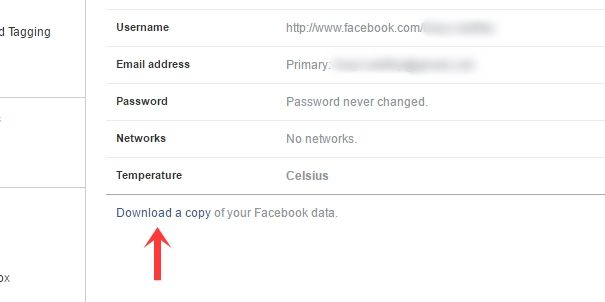
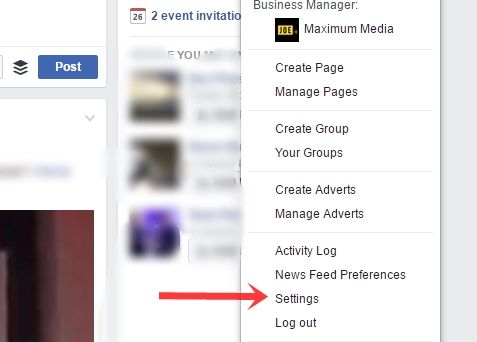 2. Click on 'Download a copy of your Facebook data.'
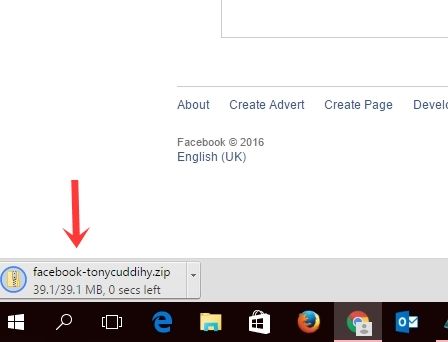
 3. At this point, you'll get a notice telling you that a copy of your data will be sent to your email account when it's ready. A few minutes later, you will get this email.
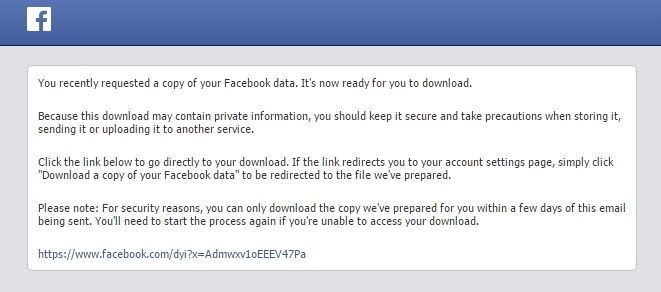 4. You will then be able to download the data.
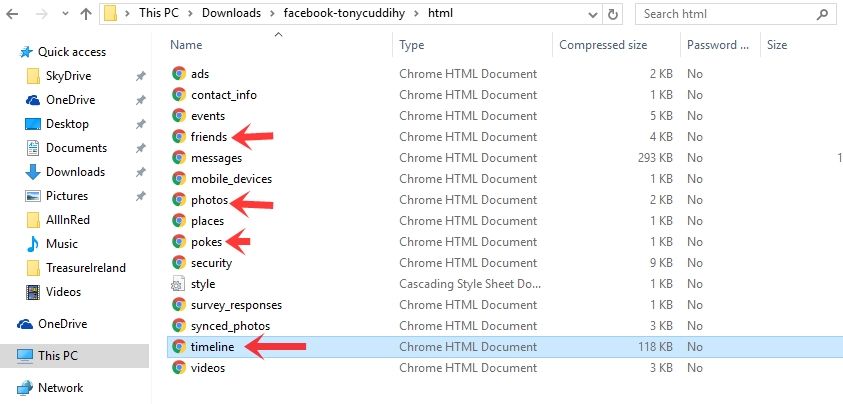
 5. Once you open this, you'll see this list of links. Prepare for hell to be unleashed in the form of status updates from 2007.
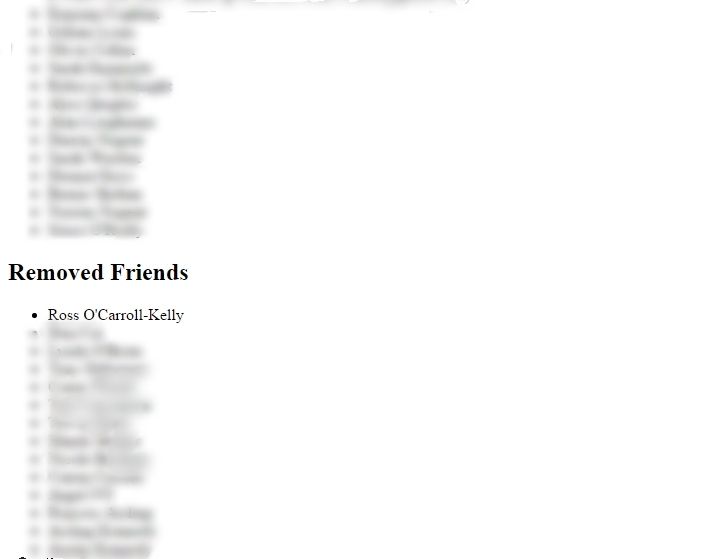
 6. Click on any of the links above and you'll be able to see everything you've said or done or photographed on Facebook over the last decade and more. It's terrifying and so much fun, particularly the following list of 'Removed Friends' (which I've blurred out except for a single name)
*Apologies to Ross O'Carroll Kelly. It was me, not you.
**It was you.
6. Click on any of the links above and you'll be able to see everything you've said or done or photographed on Facebook over the last decade and more. It's terrifying and so much fun, particularly the following list of 'Removed Friends' (which I've blurred out except for a single name)
*Apologies to Ross O'Carroll Kelly. It was me, not you.
**It was you.
Explore more on these topics:

Lifestyle

Lifestyle

Lifestyle
Lifestyle
Anthropic revenue soars 45% to $16.8bn before stock listing
Anthropic briefs investors as it prepares for possible IPO Anthropic is preparing investors for a possible stock market debut later this year after revealing that its revenue reached $16.8 billion in the third quarter, marking another sharp increase for the company behind Claude. The figures were presented to potential investors at the firm’s San Francisco […]
Lifestyle
4 days ago
Save 80% on this 5th Generation Apple iPad with 32GB Storage
Don’t miss out on this Apple iPad Wowcher offer Wowcher is running yet another tech offer you cannot miss out on this week, with 80% off a refurbished fifth-generation Apple iPad. If you’re looking to buy an iPad that won’t cost you a small fortune, then look no further than this Wowcher deal. Wowcher is […]
Lifestyle
1 week ago
‘I returned home to find someone parked in my driveway – so I ruined their weekend’
Lifestyle