









Tech

Share
Published 17:20 13 Oct 2016 BST
Updated 17:21 13 Oct 2016 BST

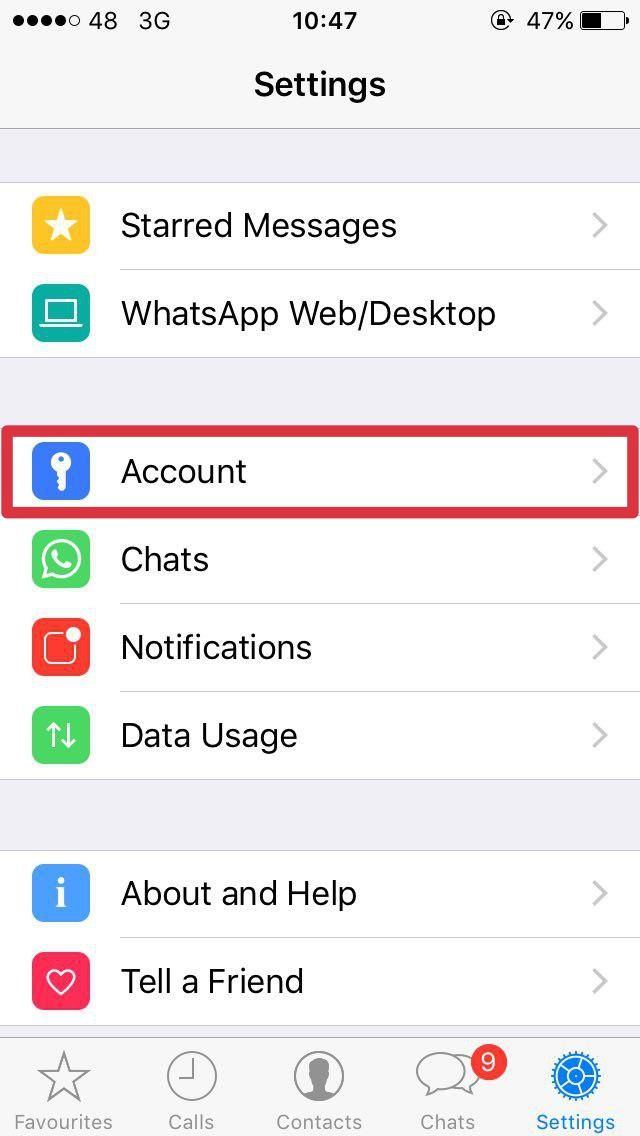 Click into Privacy...
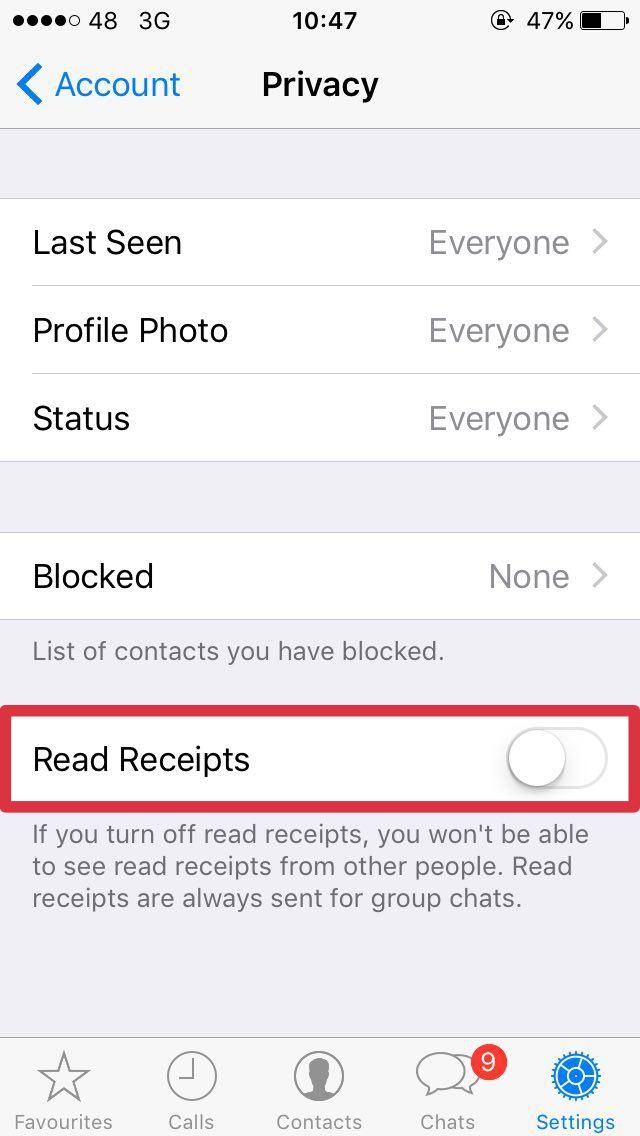
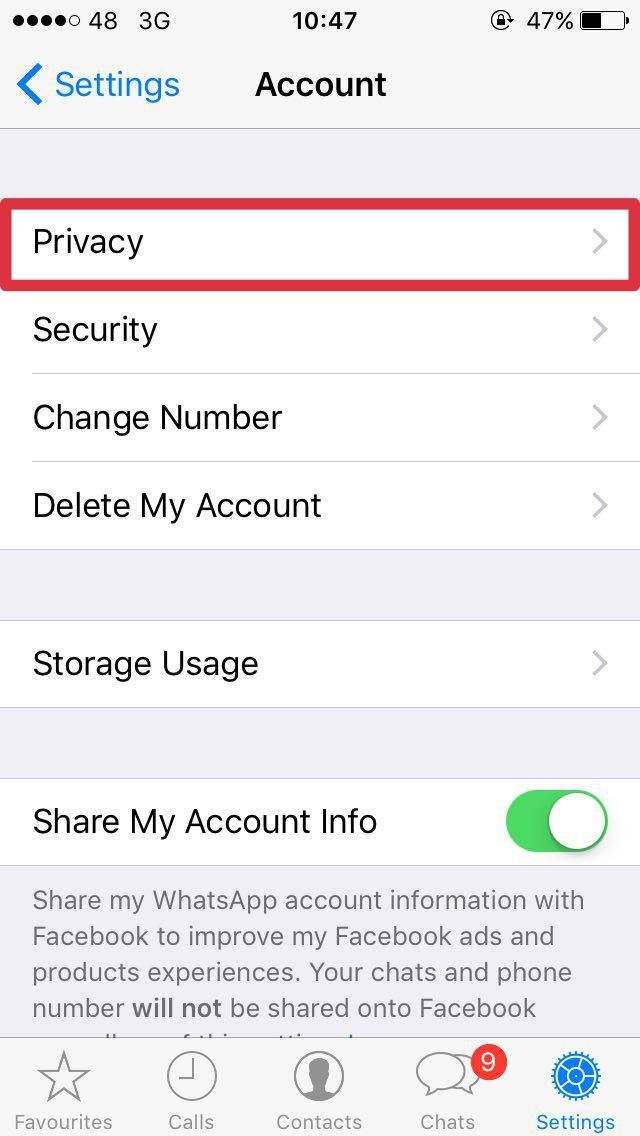 Go to Read Receipts at the bottom and slide it to the off position.
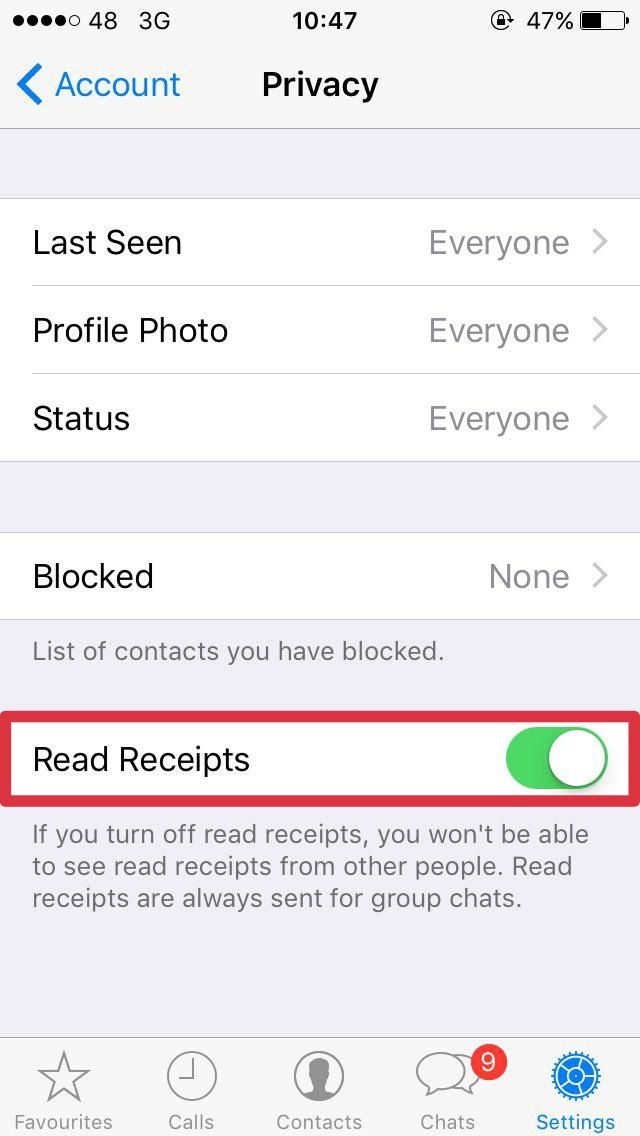 It should look something like this...
 As for Facebook Messenger, and well.... it does not have a handy option to turn off read receipts so the best way to do it is by switching your phone into Airplane mode.
This will prevent the app from sending the information that you've read the message, although as soon as you switch the phone out of Airplane mode, it will send the notification that you have indeed seen their message.
You *can* switch of chat for noted individuals if you wish, but if you look offline for one person, but are still visible for their mates, we reckon you may get yourself in hot water.
Our advice? Erm.... well.... GOOD LUCK.
As for Facebook Messenger, and well.... it does not have a handy option to turn off read receipts so the best way to do it is by switching your phone into Airplane mode.
This will prevent the app from sending the information that you've read the message, although as soon as you switch the phone out of Airplane mode, it will send the notification that you have indeed seen their message.
You *can* switch of chat for noted individuals if you wish, but if you look offline for one person, but are still visible for their mates, we reckon you may get yourself in hot water.
Our advice? Erm.... well.... GOOD LUCK.


Tech


Tech

Tech
Tech
Irish police to receive pursuit training as five boys killed in motorway crash named locally
Gardaí to receive pursuit training following M9 collision that killed five teenage boys. Minister for Justice Jim O’Callaghan has confirmed that gardaí will receive special pursuit training following the M9 crash over the weekend. The Garda Representative Association claim no one in An Garda Síochána had received such pursuit training. Mr O’Callaghan said that legislation […]
Tech
2 weeks ago
You can buy a MacBook Air for as cheap as £69 saving you 67%
This MacBook Air is a total steal As much as we’d love to splash out on the latest MacBook, we simply cannot afford to part with that much money. We’re often looking for reliable refurbished tech products that’ll work just as well, but won’t impact our bank accounts as badly. This current Wowcher MacBook Air […]
Tech
3 weeks ago

Tech
Best-selling smartwatch that’s ‘better than Samsung and Fitbit’ gets 25% discount
Tech