






Lifestyle

Share
Published 20:18 13 Mar 2016 GMT

 To add another filter, you simply press on the screen and hold your finger/thumb there, then swipe left or right with another finger to pick different filter.
Maybe you want to show off the warm spring weather where you are.
To add another filter, you simply press on the screen and hold your finger/thumb there, then swipe left or right with another finger to pick different filter.
Maybe you want to show off the warm spring weather where you are.
 Unsurprisingly, to add a third filter, you just do the same again.
This way you can your picture the final bit of shine it needs to make your mates in another city properly jealous.
Unsurprisingly, to add a third filter, you just do the same again.
This way you can your picture the final bit of shine it needs to make your mates in another city properly jealous.

Explore more on these topics:
Lifestyle

Lifestyle

Lifestyle

Lifestyle
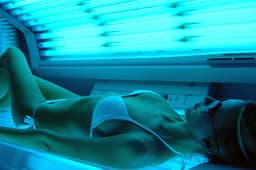
Sunbed shops surge across UK’s poorest areas, study finds
North East leads UK in sunbed salon numbers Britain’s tanning industry is moving in the opposite direction to much of Europe, with the number of sunbed businesses continuing to climb despite falling numbers elsewhere on the continent. Figures from Companydata.com show that the UK now has 3,095 tanning salons, compared with 2,103 a decade ago. […]
Lifestyle
4 days ago
Anthropic revenue soars 45% to $16.8bn before stock listing
Anthropic briefs investors as it prepares for possible IPO Anthropic is preparing investors for a possible stock market debut later this year after revealing that its revenue reached $16.8 billion in the third quarter, marking another sharp increase for the company behind Claude. The figures were presented to potential investors at the firm’s San Francisco […]
Lifestyle
5 days ago
Lifestyle
UK’s cheapest supermarket of 2026 revealed
Lifestyle